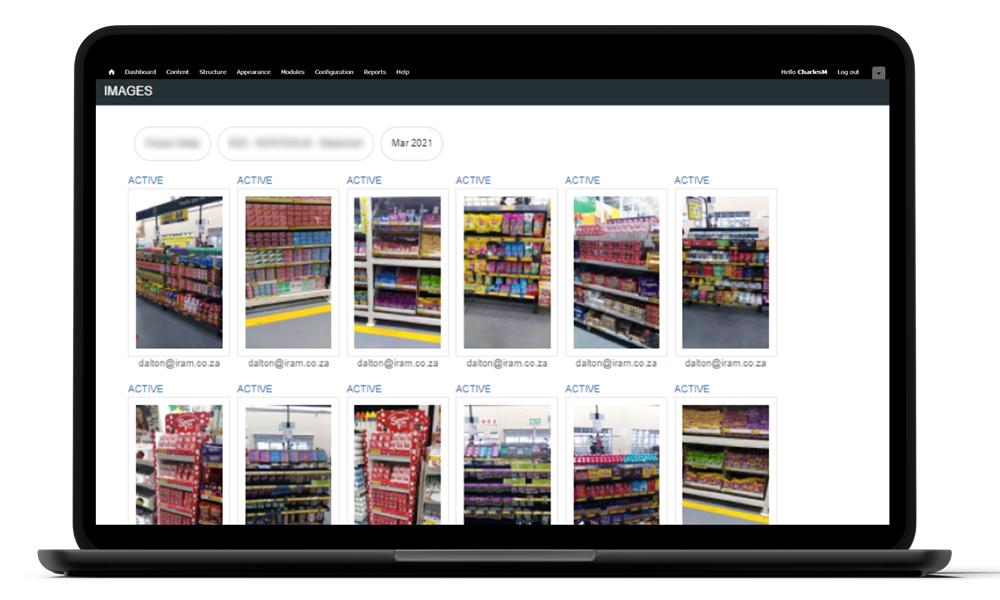
Images are available in the Perigee Portal in a photo gallery. Images in the portal include images taken in the photo option or photos taken in forms.
Viewers have the ability to filter images by:
- Store
- User (Picture Taker)
- *Tag
- Channel
- Date
Viewers can also sort images by date. In the portal, viewers can enlarge images for a better view and to view comments.
The images in the portal appear on a near-real-time basis.
*Tags: administrators can create custom tags that make filtering images more efficient. For example, if a campaign was being run, the admin would create a tag for that campaign and then when the app user takes a photo they would tag the photo with that custom tag. When the administrator views the gallery, they can then filter and view images only for that tag instead of scrolling through thousands of images.